

Table of Contents
- Introduction
- What is a Malware Attack?
- Types of Malware Attacks
- How Malware Spreads
- Impact of Malware Attacks
- How to Protect Against Malware
- Conclusion
So, what exactly is a malware attack? In simple terms, malware stands for malicious software, and it is designed to infiltrate, damage, or disable computers, networks, and data systems. Whether it’s stealing personal data, spying on user activity, or destroying system files, the threat of malware is real and ever-evolving.
This blog will guide you through the fundamentals of malware, exploring its meaning, types, how it spreads, its impacts, and how to stay protected.
What is a Malware Attack?
Malware Meaning
Malware stands for malicious software, and it refers to any program or file designed to cause harm to a computer, server, client, or network. Malware can take many forms, including viruses, worms, trojans, ransomware, spyware, adware, and more.
What is a Malware Attack?
A malware attack occurs when malicious software infiltrates a system with the intention to steal data, damage files, or disrupt operations. The attack may happen through various channels, such as email attachments, malicious websites, software downloads, or infected hardware.
During a malware attack, the attacker may gain unauthorized access to systems, install additional harmful software, monitor user activity, or lock down critical systems until a ransom is paid.
Types of Malware Attacks
Understanding the types of malware attacks is crucial to identify threats and mitigate risks. Here are the most common forms:
1. Virus
A virus attaches itself to clean files and spreads throughout a system, damaging files and applications.
2. Worms
Worms replicate themselves and spread across networks without needing a host program, often causing system slowdowns or crashes.
3. Trojans
Disguised as legitimate software, trojans open a backdoor for attackers to access the system.
4. Ransomware
This form of malware encrypts a user's files and demands a ransom to restore access.
5. Spyware
Spyware secretly monitors user behavior and collects personal data, including passwords and credit card information.
6. Adware
Adware displays unwanted advertisements and may redirect users to malicious sites.
7. Rootkits
Rootkits give attackers remote control of a system without being detected.
8. Fileless Malware
This advanced malware uses legitimate programs to infect a system without leaving a footprint.
How Malware Spreads
Understanding how malware spreads helps in its prevention. Here are the most common distribution methods:
1. Phishing Emails
Emails that appear to be from trusted sources but contain malicious attachments or links.
2. Malicious Websites
Websites that host malware-laden downloads or scripts that automatically install malware.
3. Infected Software Downloads
Installing cracked or pirated software often leads to malware infections.
4. USB Drives
Removable media can carry malware and infect any system they are connected to.
5. Social Engineering
Attackers manipulate users into performing actions or divulging confidential information.
Impact of Malware Attacks
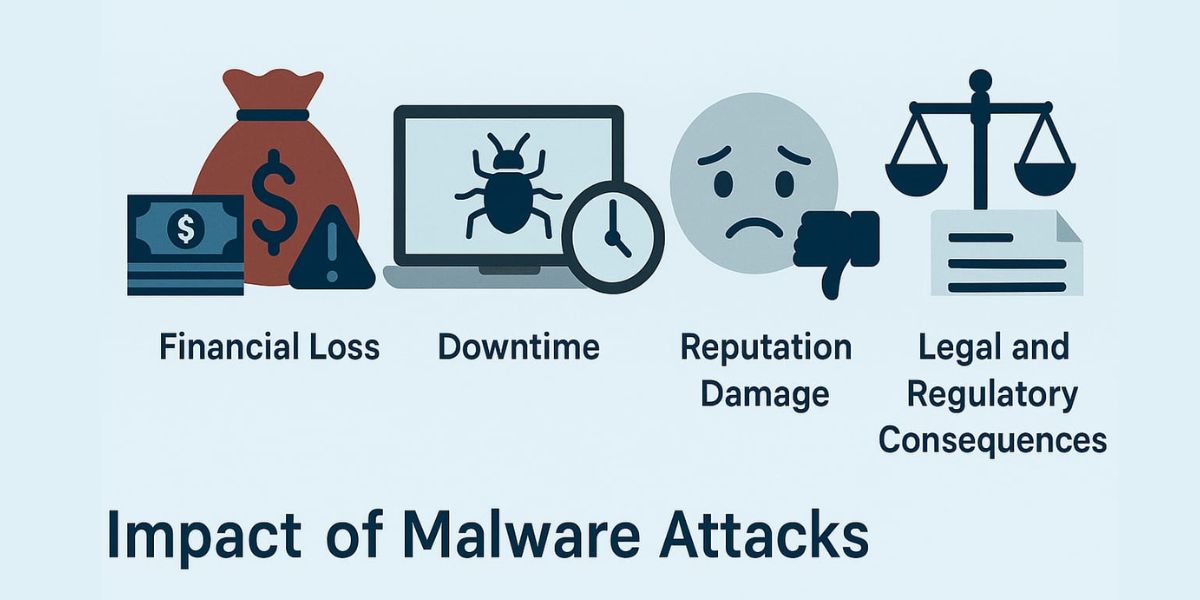
The consequences of malware attacks can be devastating for individuals and businesses.
1. Data Breach
Sensitive personal or business data can be stolen and sold on the dark web.
2. Financial Loss
Organizations may suffer revenue losses, legal penalties, or pay hefty ransoms.
3. Downtime
Systems infected with malware often require extensive repair, leading to operational delays.
4. Reputation Damage
Customers lose trust in companies that experience malware-related data breaches.
5. Legal and Regulatory Consequences
Failure to secure systems against malware may result in non-compliance with laws like GDPR or HIPAA.
How to Protect Against Malware
Preventing malware attacks requires a combination of technology, user awareness, and best practices.
1. Install Antivirus and Anti-malware Software
Ensure all systems have updated security software to detect and block malware.
2. Keep Software Updated
Regular updates patch known vulnerabilities in operating systems and applications.
3. Use Firewalls
Firewalls monitor incoming and outgoing traffic and help block malicious activity.
4. Educate Users
Train employees and users to recognize phishing emails and suspicious behavior.
5. Back Up Data Regularly
Keep regular backups in place to recover data in case of a malware attack.
6. Secure Wi-Fi Networks
Use strong passwords and encryption protocols to prevent unauthorized access.
7. Monitor Network Activity
Use intrusion detection systems to identify and respond to unusual activity.
Conclusion
Malware in cyber security is a serious threat that continues to evolve. From viruses and ransomware to spyware and trojans, the types of malware attacks are diverse and dangerous. Understanding malware attack meaning and how these attacks occur is the first step toward effective protection.
Whether you're an individual user or a large enterprise, the key to defending against malware is vigilance, education, and robust security measures.
At Trevonix, we specialize in Identity and Access Management (IAM) solutions that form a critical layer of cybersecurity defense. Our services help businesses across industries secure their digital environments against threats, including malware attacks.